
Build useful scenarios
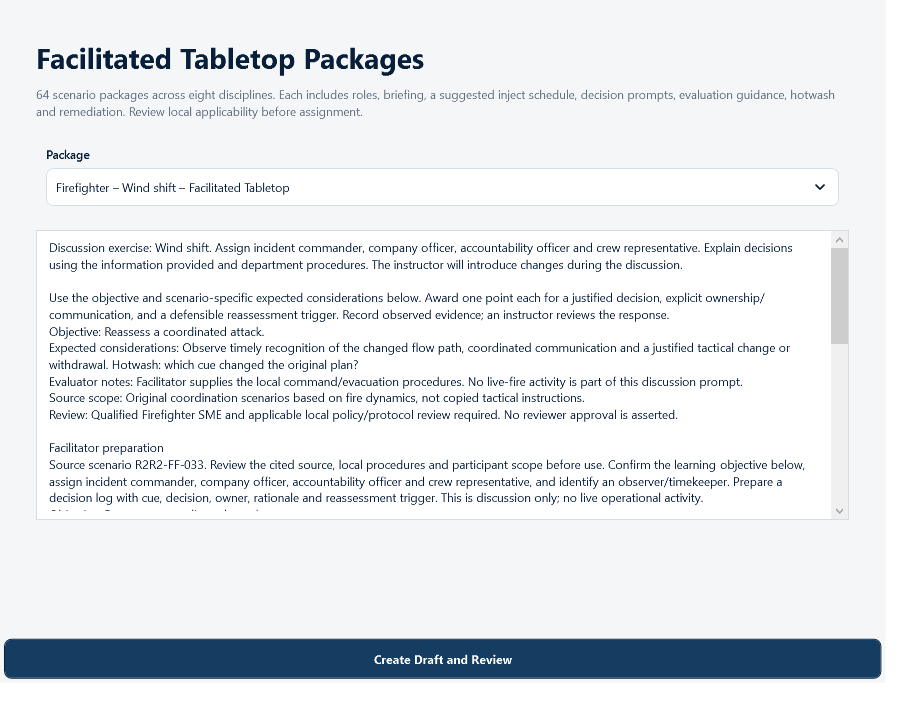
Combine instructor statements, role-specific questions, reference media, and answer formats into reusable Tabletops.
Tabletop Builder
Ready systems. Coordinated action.
Prepare tabletop exercises, document qualifications, organize department work, and coordinate incident command in one Windows program.
The interactive demo previews the current Routine To Response pilot modules with fictional data. It is browser-only, read-only, and resets automatically.
One connected workflow
Routine To Response carries a training objective from the instructor's first idea to the department's permanent record.
Born from a firehouse conversation
R2R began with a candid question about whether career development was truly preparing people for their current role—or the next one. Today it is an expanding program built to connect routine preparation with coordinated action.
Read the story behind Routine To ResponseMore than a question bank
Within Routine To Response, the training workspace connects preparation, participation, review, and records while keeping every department in control of its own people and content.
Combine instructor statements, role-specific questions, reference media, and answer formats into reusable Tabletops.
Tabletop BuilderFilter personnel, select participants, set due dates, choose reviewers, and give every student an individual incident role.
Assignment LibraryCapture manual training hours, attendance, approvals, category totals, and department-ready training forms.
Training RecordsPublish reviewed material to a moderated Community Library and adapt useful work from participating departments.
Community LibraryBuilt around your department's work
Build a scenario, assign individual roles, review member responses, and preserve the training record.
Explore tabletop exercises →Keep training and qualification history together, assign operational tasks, and organize shared documents and resources.
Explore training records →Use the Windows Command Board to organize units, accountability, resources, and the incident timeline.
Ask for a Command Board walkthrough →Choose the scope that fits
The Training Suite includes Tabletops, Training & Qualifications, and Administration. Available add-ons are Special Operations, Tasks, Documents, and Resources.
See department pricing →Dive Rescue remains Coming Soon. HazMat and Wildland currently provide navigation and shared foundations, not dedicated released workflows. The browser demo includes fictional previews; a demo screen does not establish purchase availability.
Ask us to confirm module scope and department activation when planning your pilot.
Designed for responsible adoption
Access follows account permissions. Community submissions require contributor confirmation and moderation. The public demo never contacts the production API and never stores visitor entries.
See the workflow before installing
Explore fictional training and department workflows before arranging a walkthrough of the Windows pilot. The browser demo includes previews of planned modules and is read-only.